App-based Robot Setup
Owning the app setup UX for the entire iRobot product fleet from 2018 to 2021 — this case study showcases the Roomba j7 launch, where new hardware constraints became opportunities to rethink the out-of-box experience from scratch.
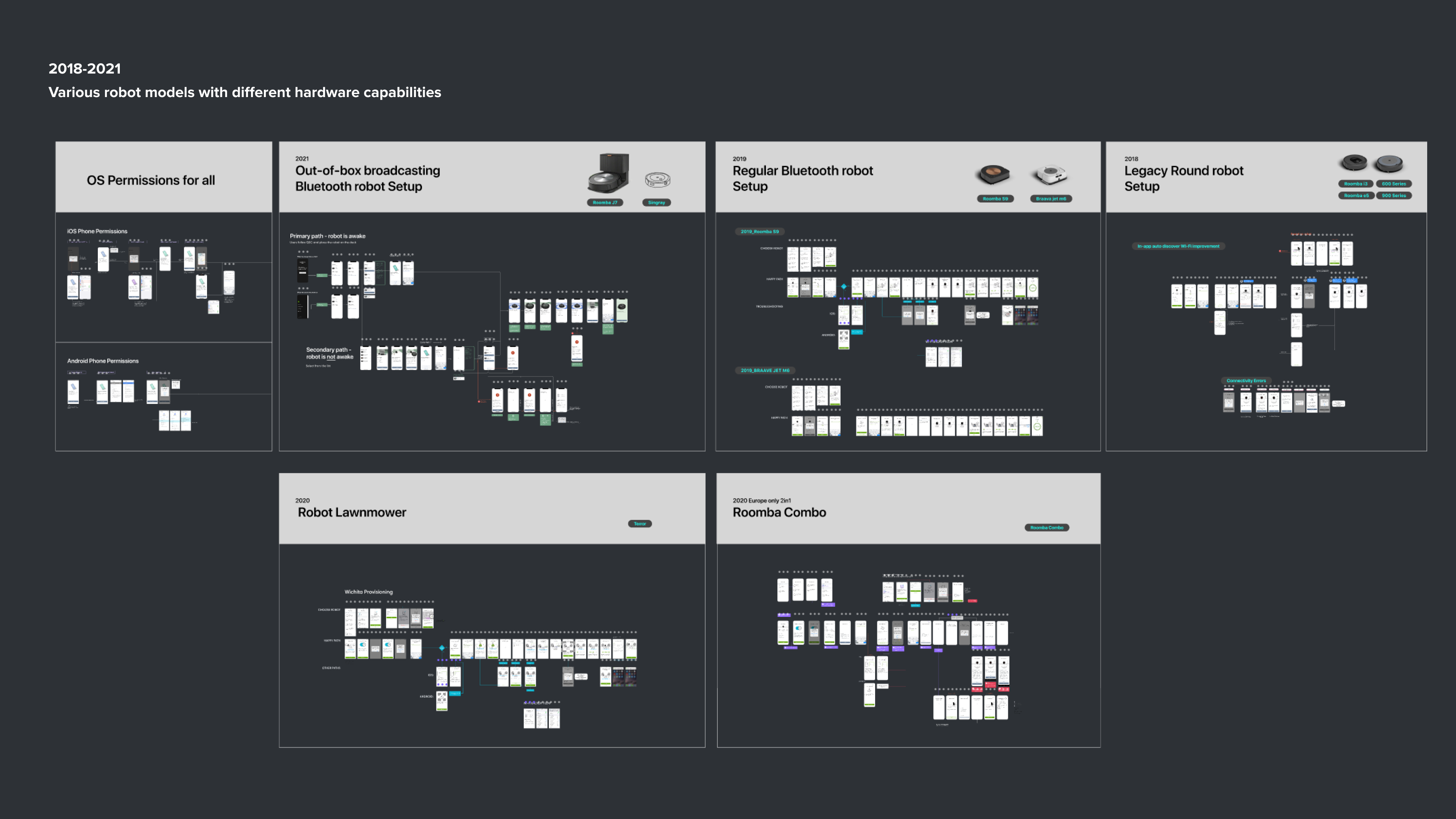
The setup experience I designed and iterated across the entire iRobot product fleet from 2018 to 2021.
The 2018 first setup experience I designed for Roomba i7
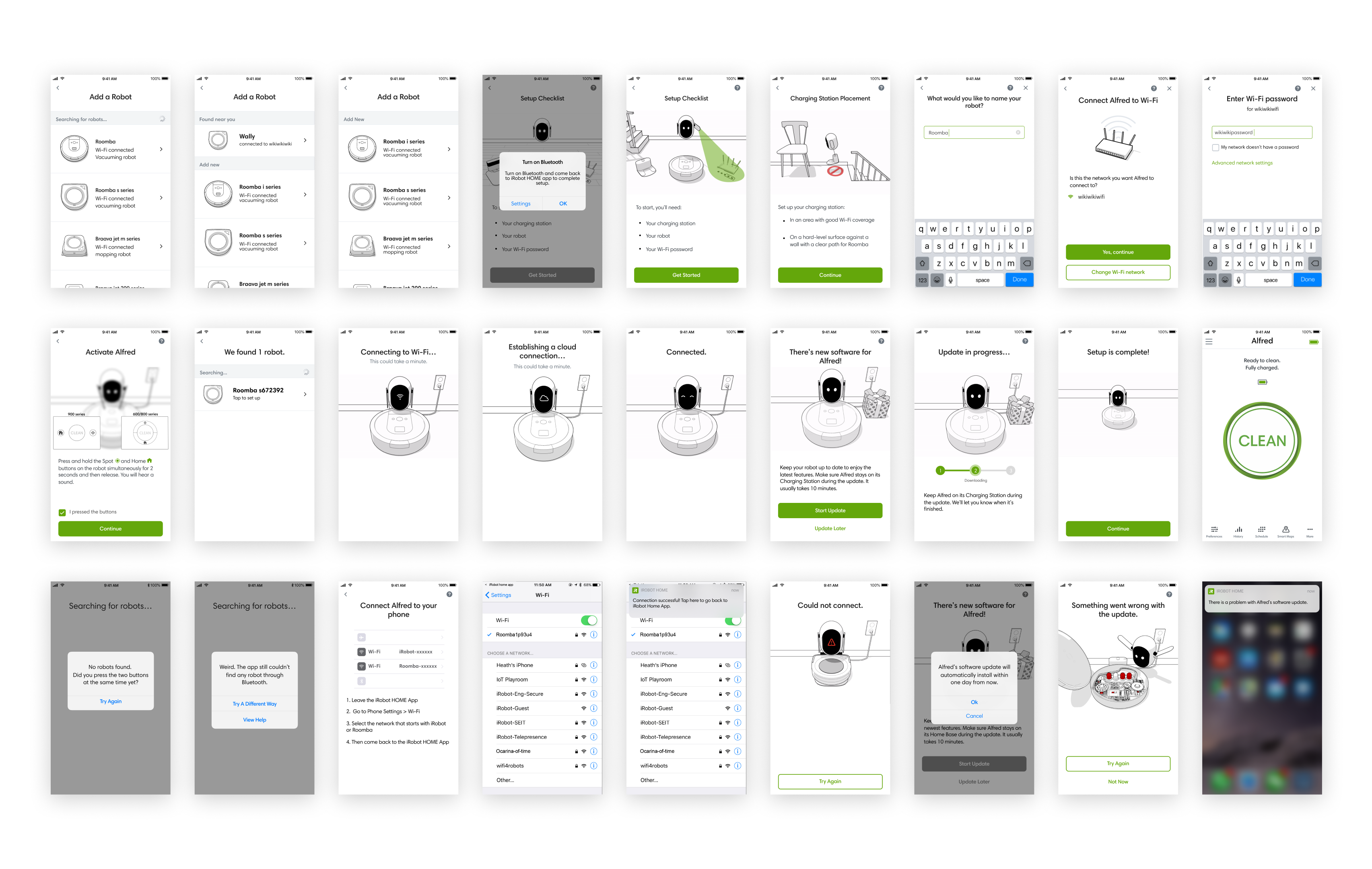
The starting point that all future designs built upon.
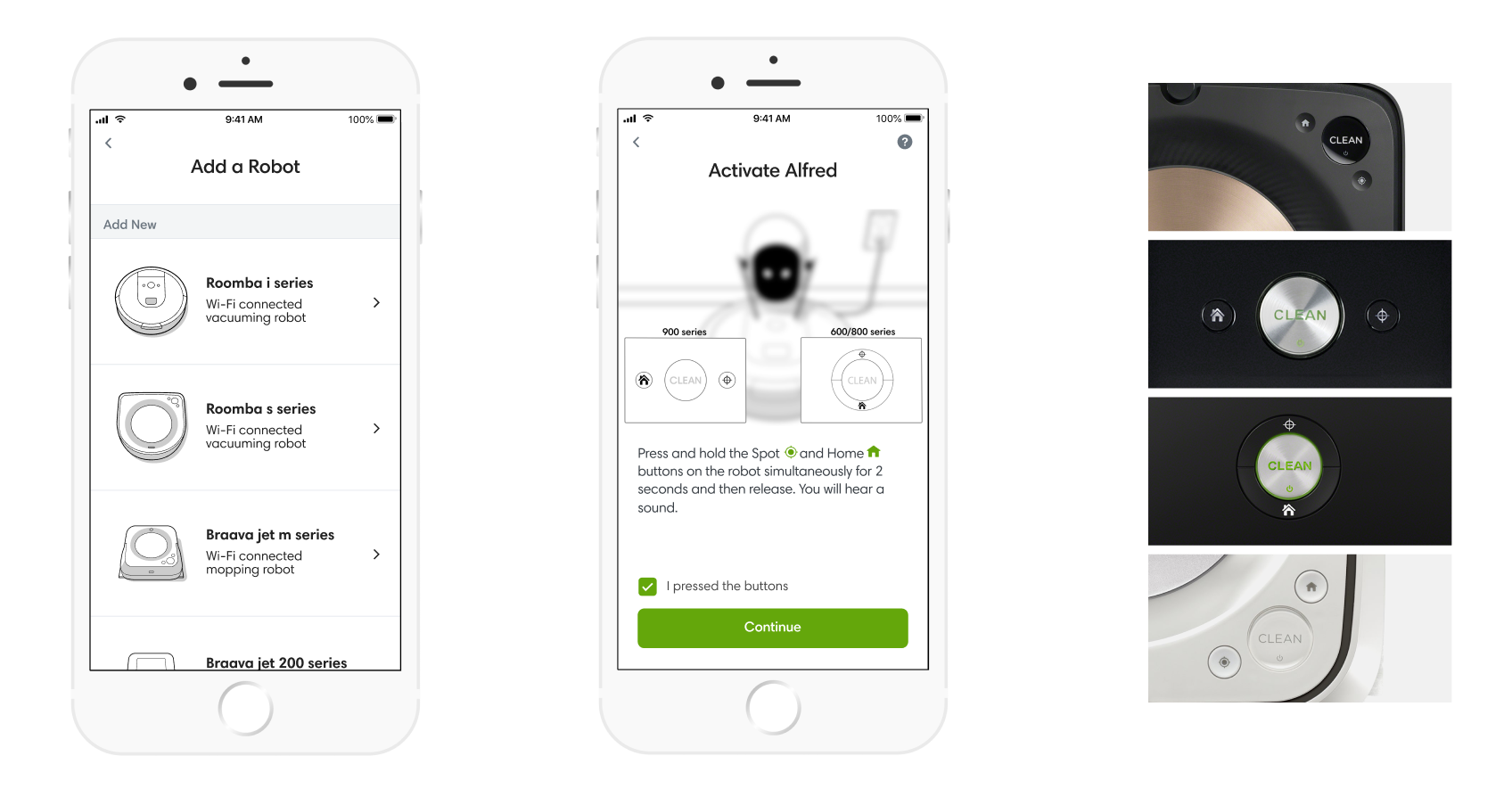
Three recurring pain points identified across the fleet: model identification, robot activation, and button layout variation.
Problem
Recurring pain points across the fleet
Across multiple rounds of user testing and support ticket analysis, three consistent problems surfaced regardless of robot model:
- Not knowing the model: Users don't always know their robot model — especially when it's a gift — making it hard to select the right setup path.
- Activating the robot: Users struggled to put the robot into connecting mode. Some falsely believed they had done it correctly. Users weren't confident about what feedback to expect when they activated it successfully.
- Different button layouts: Various robot models have different button configurations — some with the same look but different connectivity capabilities (e.g., 5GHz support).
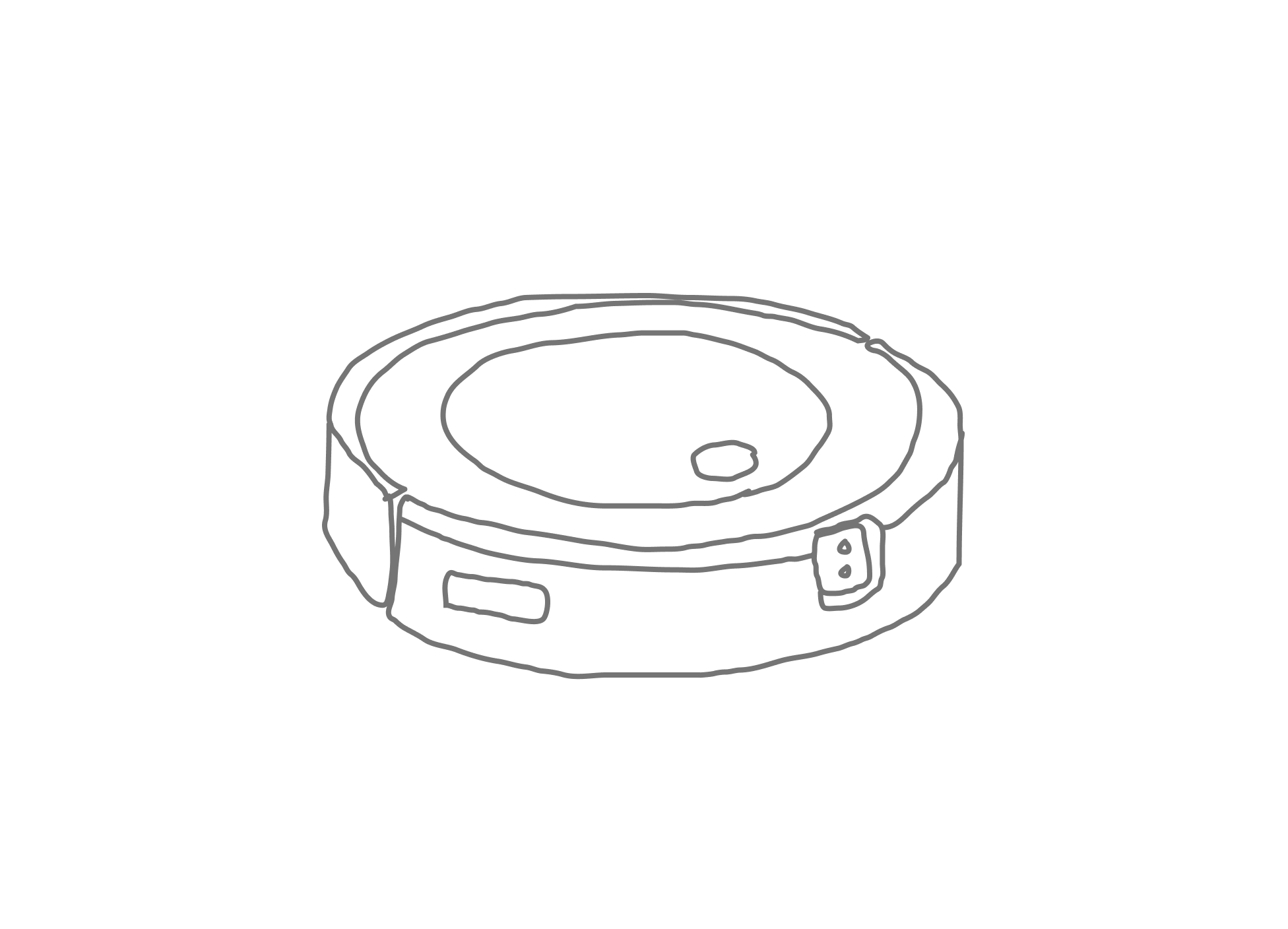
The single-button constraint pushed us toward a fundamentally simpler activation model: auto-broadcasting, no button sequence required.
New challenge
A new robot, new constraints, new opportunities
The Roomba j7 introduced two significant hardware changes that forced a rethink:
- One button: The j7 had only one button, eliminating the button combinations used by previous models. Most existing button interactions had already been assigned to other functionalities.
- Bluetooth broadcasting: To support the new launch, I worked with the connectivity and robot firmware teams to enable robots to broadcast Bluetooth and Wi-Fi signals automatically out of the box — removing a major friction point entirely.
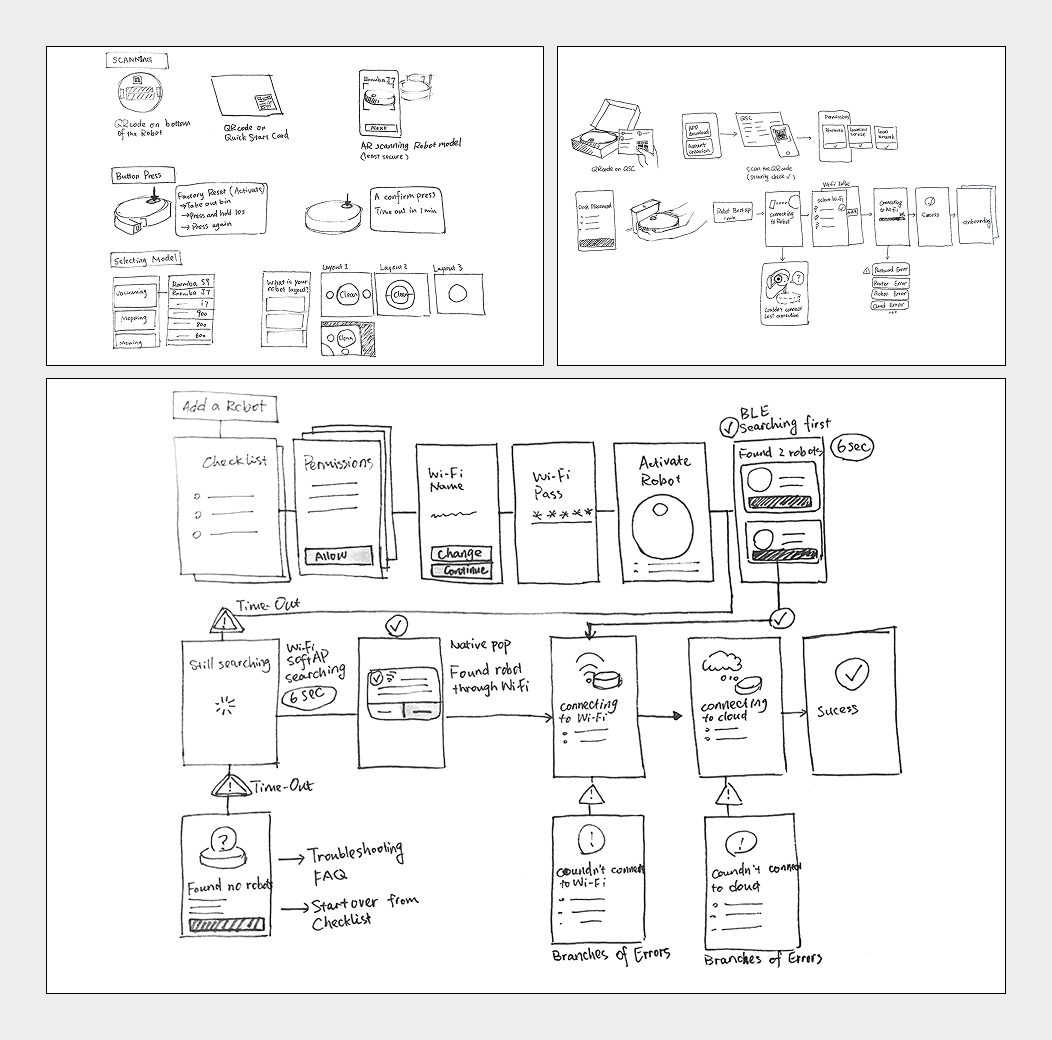
Early sketches exploring the setup flow and various concepts for the one-button activation problem.
Process
Ideation
I explored multiple concepts — setup flow variations, QR code scanning from the quick-start card, and ways to leverage the new auto-broadcasting capability to remove friction at the most critical step of setup.
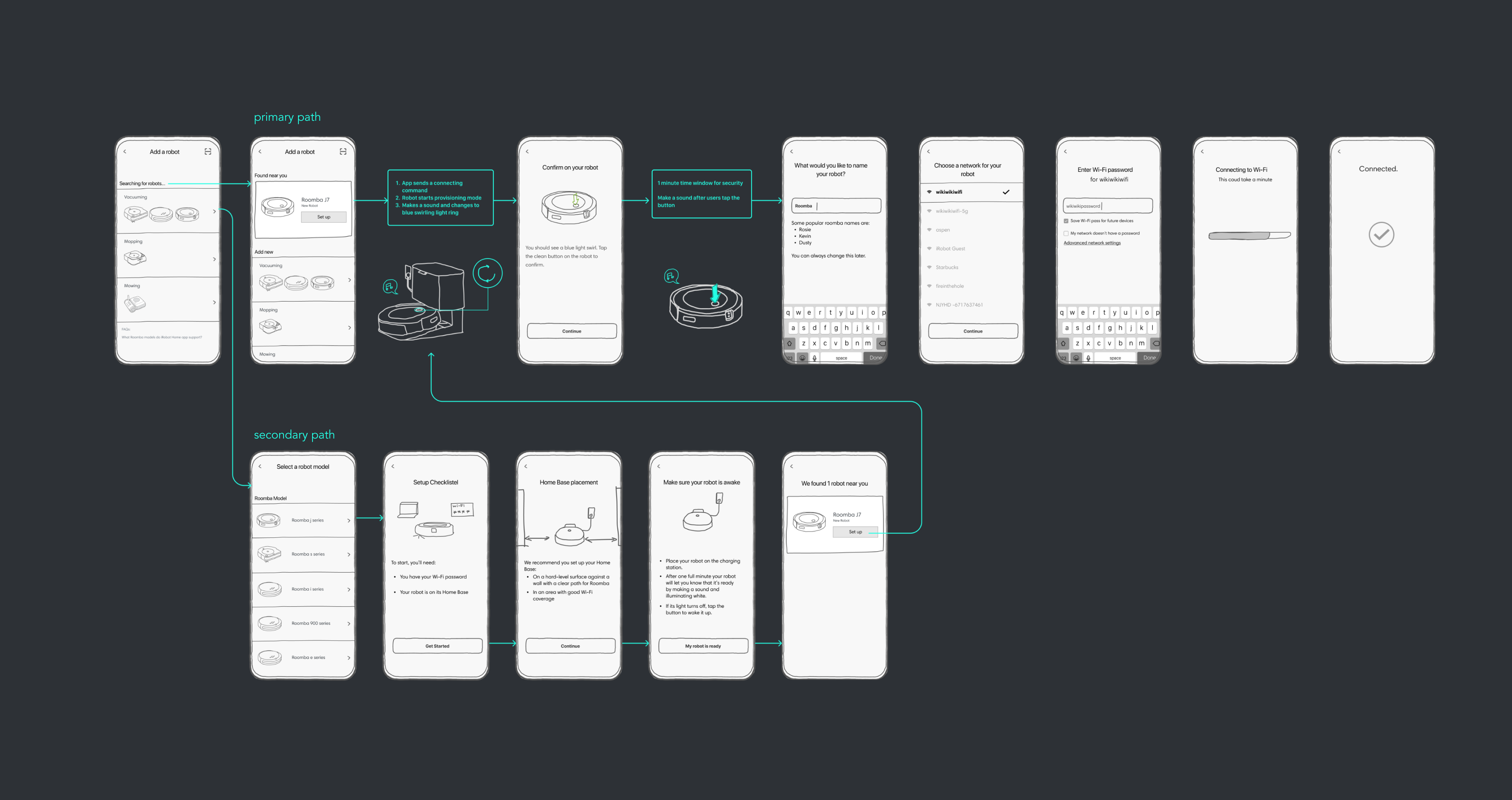
Low-fidelity prototype used for remote testing — shipped alongside real robots to users' homes.
Remotely testing the out-of-box experience
I created a low-fidelity app prototype for the ideal experience, then we shipped actual robots to users' homes along with the app prototype. We conducted remote user testing with 6 participants to validate the auto-broadcasting concept and identify usability issues in the Quick Start Card, robot behavior design, and app experience.
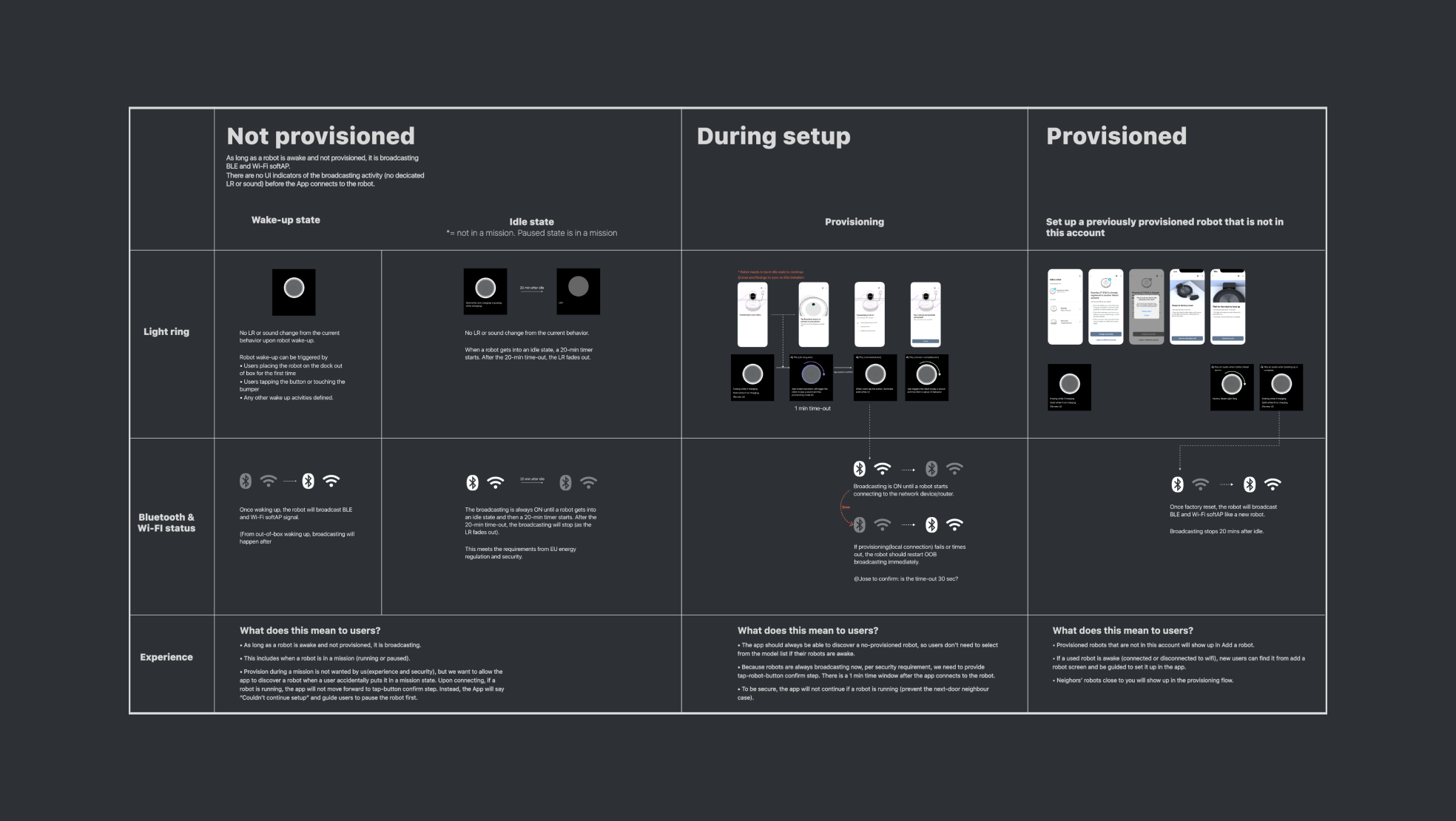
Proposed robot behaviors coordinated across Bluetooth broadcasting, light ring states, and sound feedback — finalized with firmware and cloud teams.
Finalizing robot behavior
I proposed the ideal robot behaviors — the broadcasting sequence, sound feedback, and light ring patterns — to the robot firmware team and cloud team. We worked through constraints and trade-off options to finalize the direction, ensuring the physical robot and app told a coherent, reassuring story at every step.
Final Design
Sample screens from many setup paths
The app guides users through different paths depending on their interaction with the quick-start card and the robot. These sample screens represent some of the many branching paths in the complete setup experience.
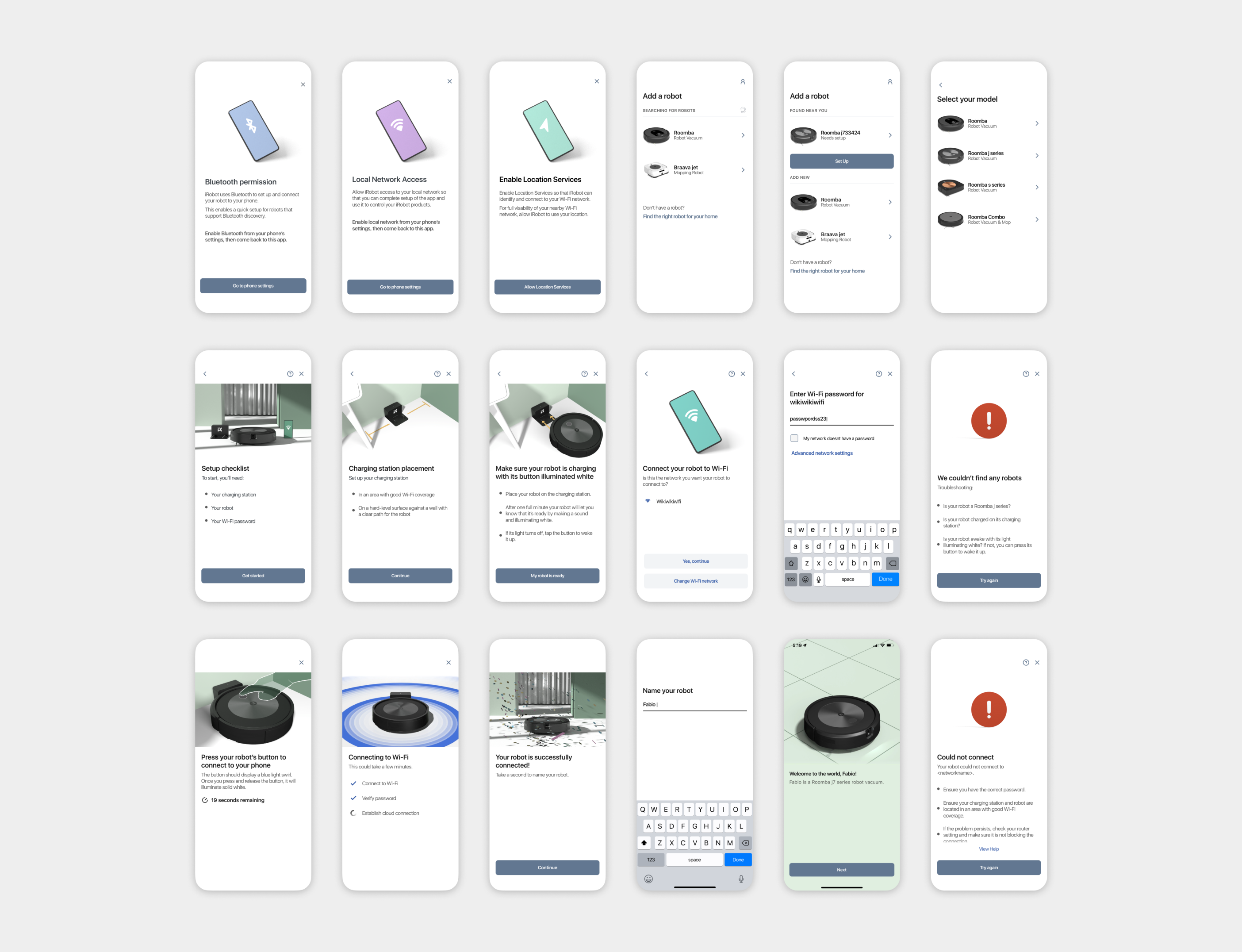
Sample screens from the many possible setup paths. The app adapts based on how users interact with the quick-start card and robot hardware.
Outcomes
Dramatically less friction, dramatically less support
The new setup experience received extensive positive feedback from both internal teams and customers. Compared to previous premium models, the Roomba j7 saw a 65% reduction in customer support call rate for Wi-Fi setup.
"This is easier than ever! … Super super easy! Wow! That was literally the fastest robot I've ever connected to Wi-Fi."
— YouTube review