Roomba Smart Mapping
Creating and launching a new experience for Roomba owners to map their homes, customize rooms, and clean selected spaces — designing the spatial intelligence that made Roomba i7 the first robot to truly know your home.
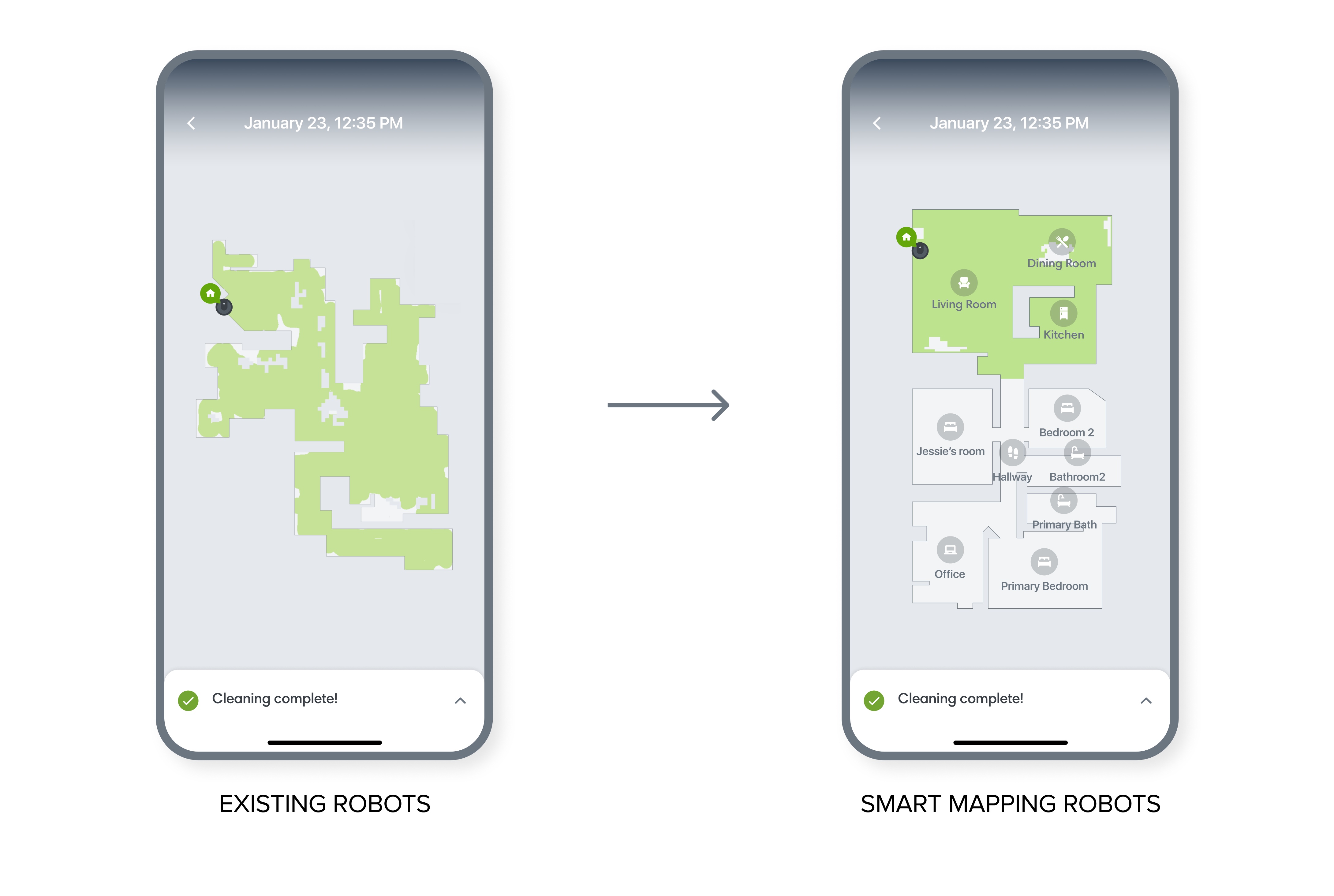
Existing robots could only show a one-time clean map per job. Smart Mapping robots remember a persistent map of the user's home.
Problem to solve
Robots that couldn't remember where they'd been
Existing Roombas could not be directed to clean specific areas or rooms. Users often wanted to clean high traffic areas, but those robots could only generate a one-time coverage clean map for each job. A clean map could only show where a robot visited during a job — making clean maps not helpful or easy to orient.
Roomba i7 was the first consumer robot that could remember a persistent map of a user's home. The Smart Mapping project goal was to create an intuitive map training experience and enable users to clean selected rooms.
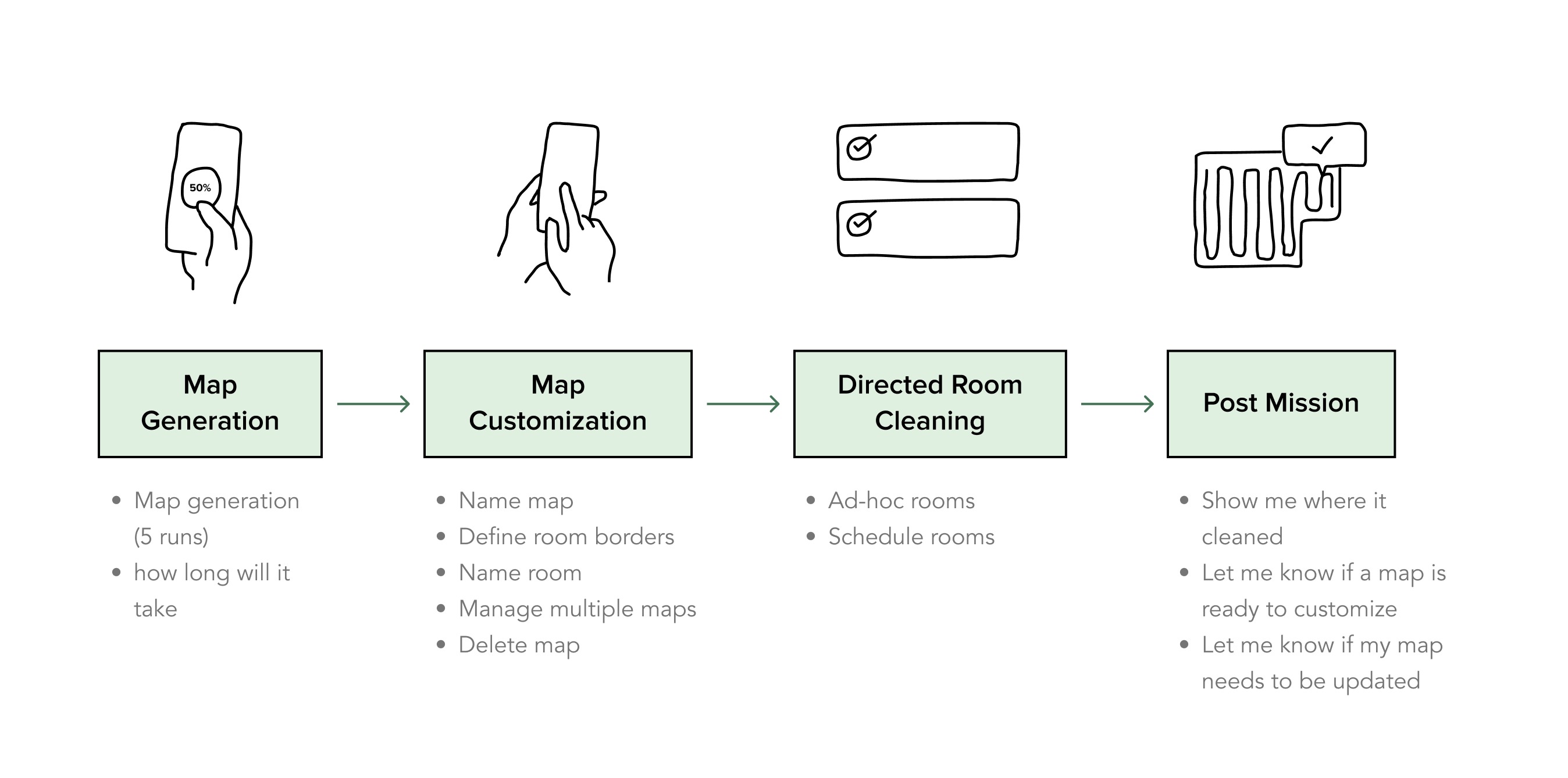
End-to-end journey map identifying key user touchpoints, unknowns, and risky assumptions across the mapping experience.
Process
Journey map: end-to-end experience
We brainstormed the user journey based on the latest technology and identified unknowns and risky assumptions. I led UX/UI design for the entire mapping journey, but this case study selectively showcases the map customization design process.
Discovery user study

Research goals
Interviewed 8 Roomba 900 series (non-smart mapping robot) owners in their homes.
- Determined current owners' user pain points and user needs
- Understood users' mental model of their home space
- Evaluated the internal engineering prototype for map customization
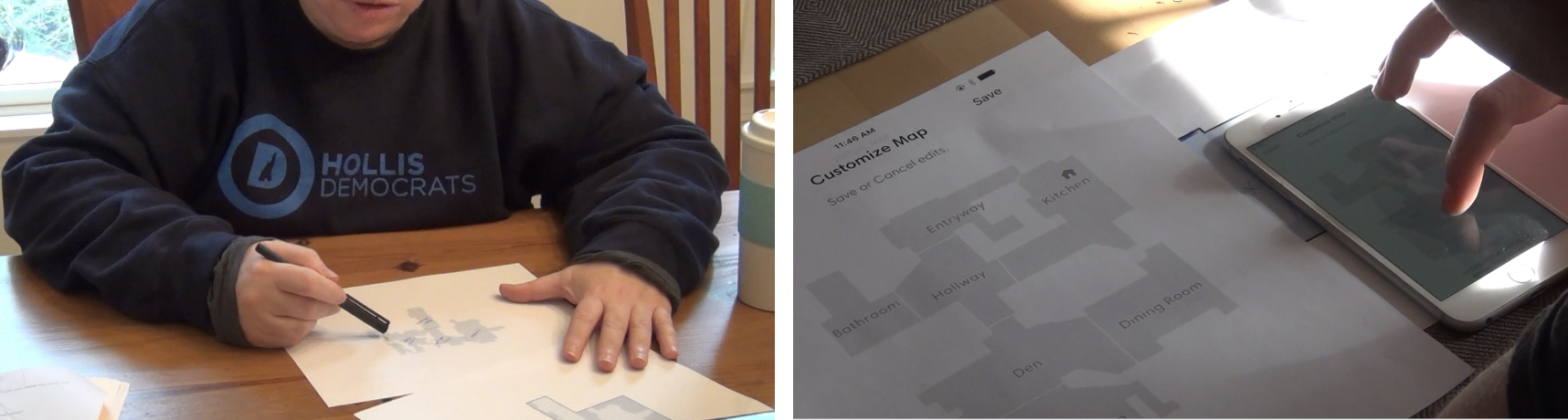
Participants sketching their home layouts to reveal their spatial mental models.

Three persistent map visualizations generated from users' own clean map data.
How users comprehend the space
Evaluated usability of existing one-time clean maps. We utilized users' clean map data to generate 3 different persistent map visualizations for each participant — testing which representation felt most legible and actionable.
Engineering prototype testing
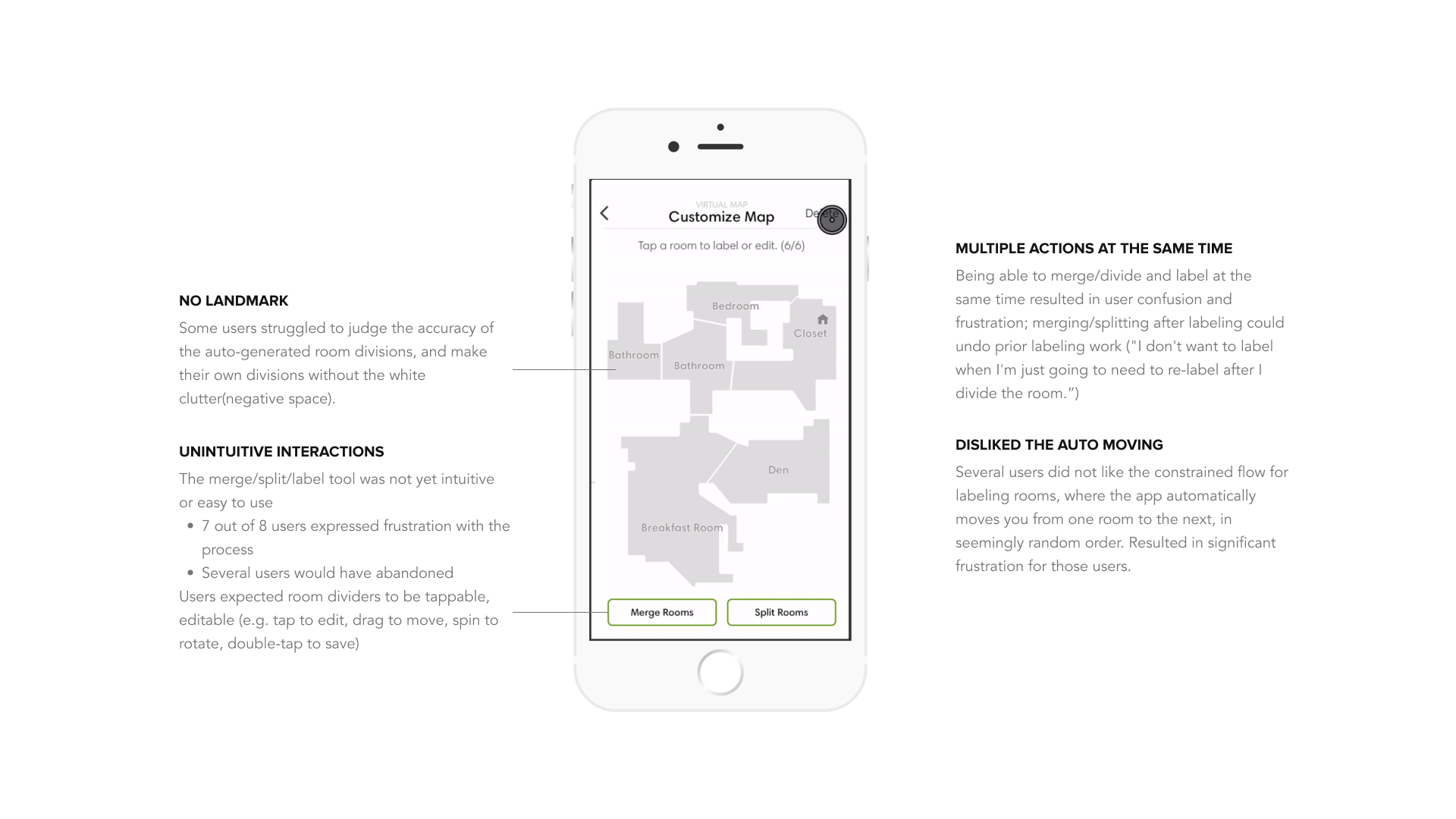
Testing the internal engineering prototype revealed four critical usability issues before any design work began.
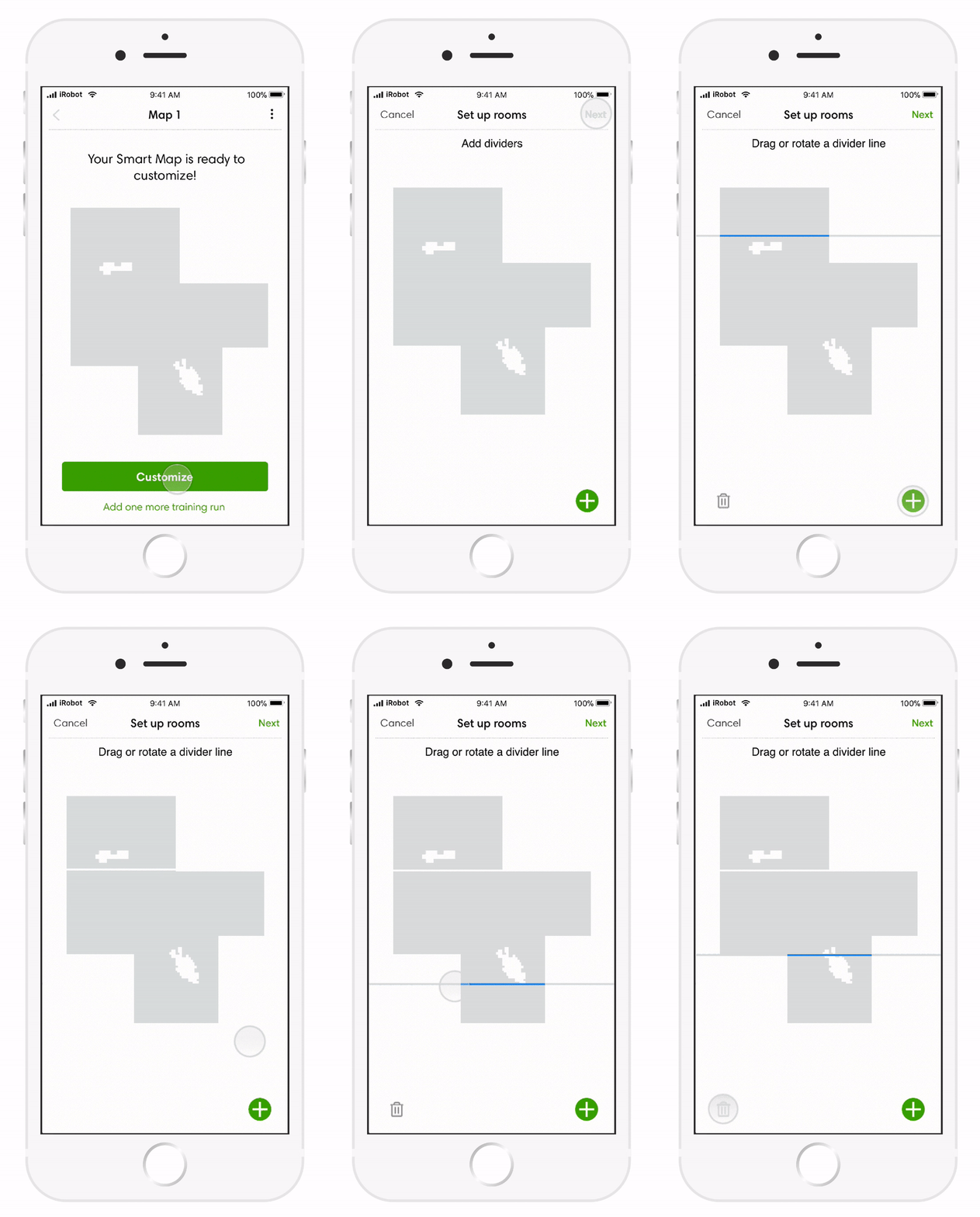
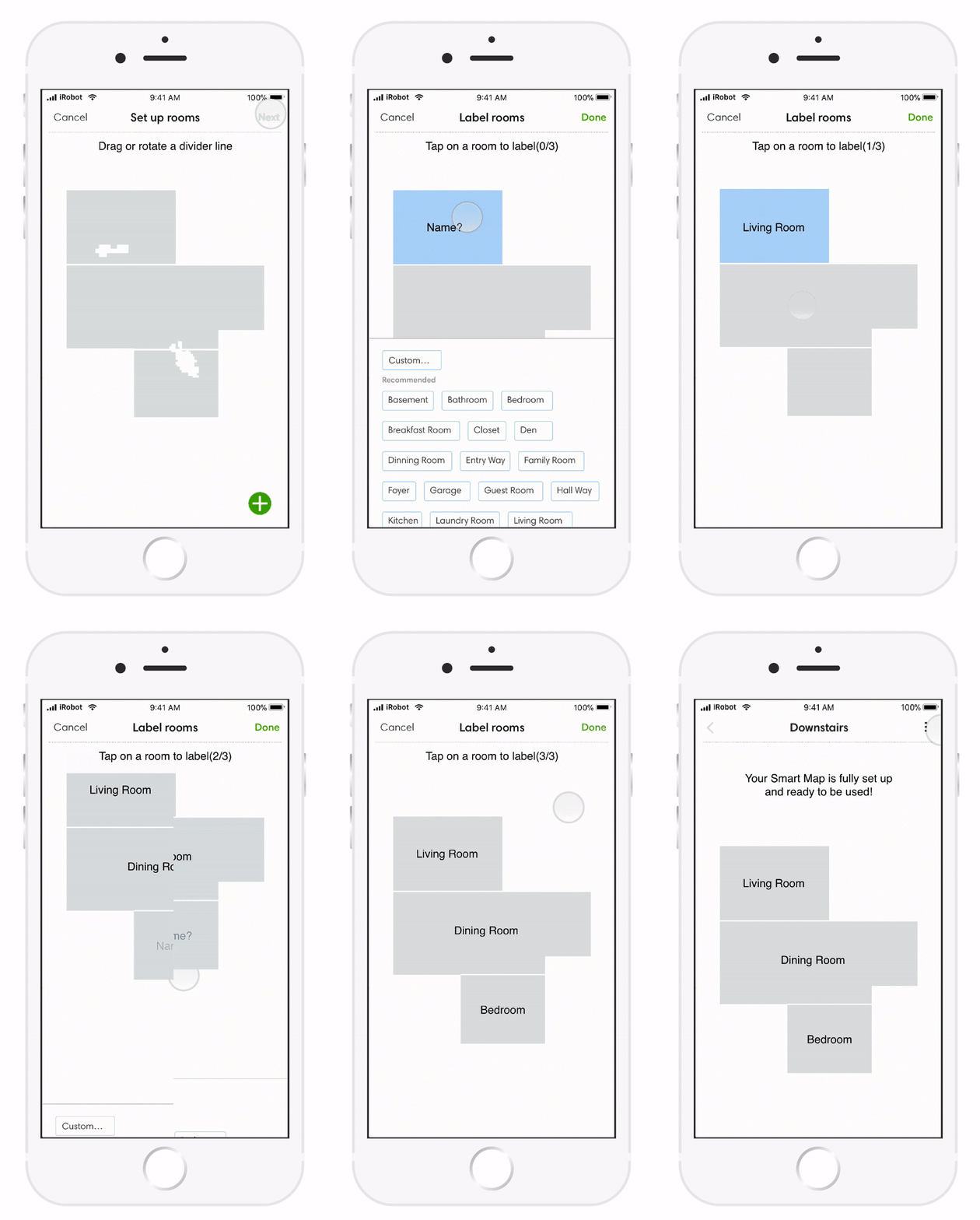
Explore ideal interaction
This is one of the initial prototypes I created to test ideal interaction.
- Display landmarks to help with orientation
- Break the flow into 3 clear steps
- Edit room dividers directly (batch editing)
User Feedback
😊 The 3-step flow was easy to follow. The interaction of direct manipulation of the room dividers was intuitive. Participants appreciated the white clutter on the map.
Engineering feedback
⚠️ "This is awesome! So much better!" — However, "we can't build this for MVP. The ideal interaction you want is out of scope."
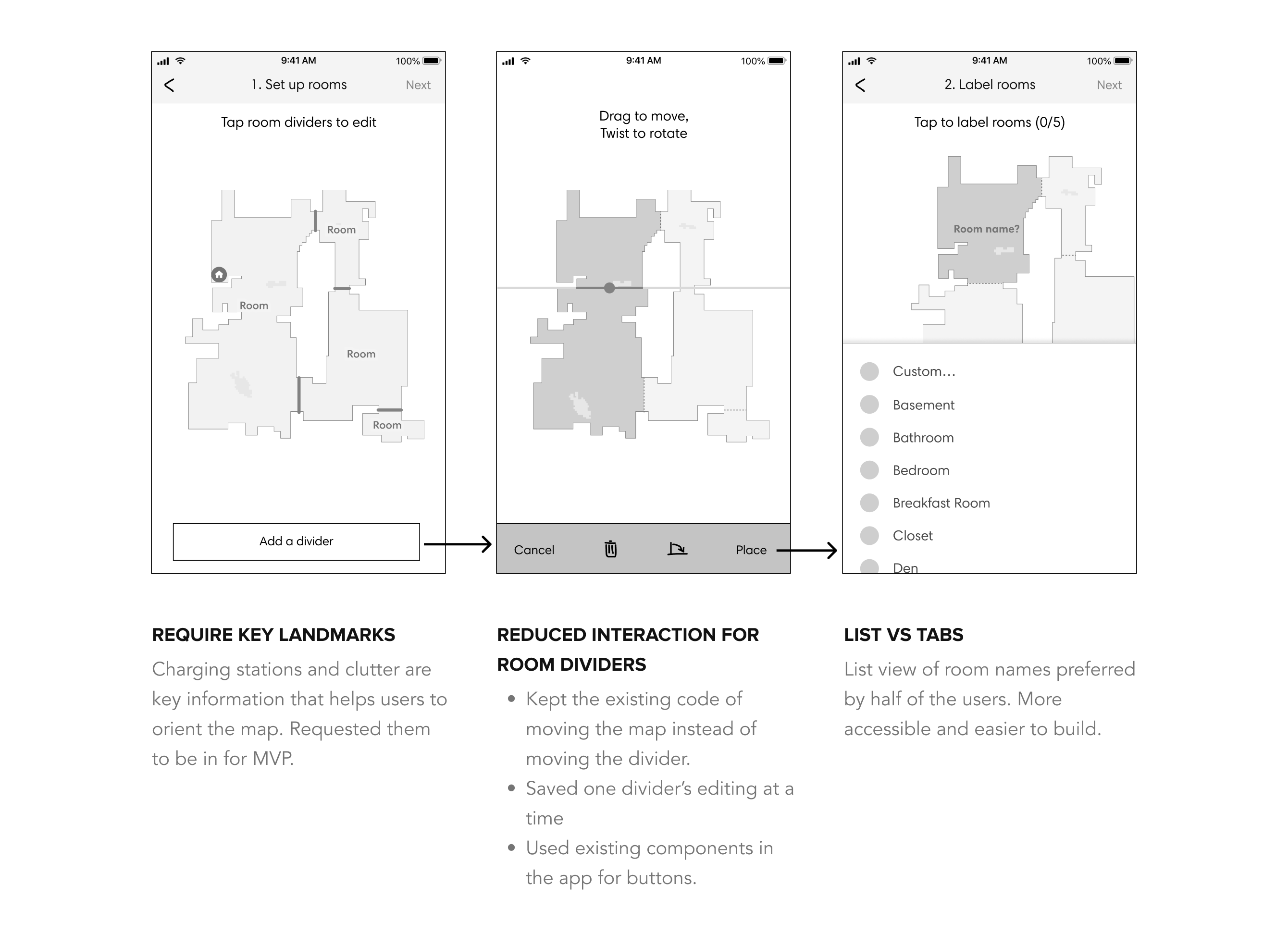
Iterate the design to fit the dev timeline
Reduced interaction
- Saved one divider's editing at a time instead of the ideal batch editing.
- Used but refined existing UI components.
List instead of tabs
More accessible and easier to build — the list pattern was also more scalable for homes with many rooms.
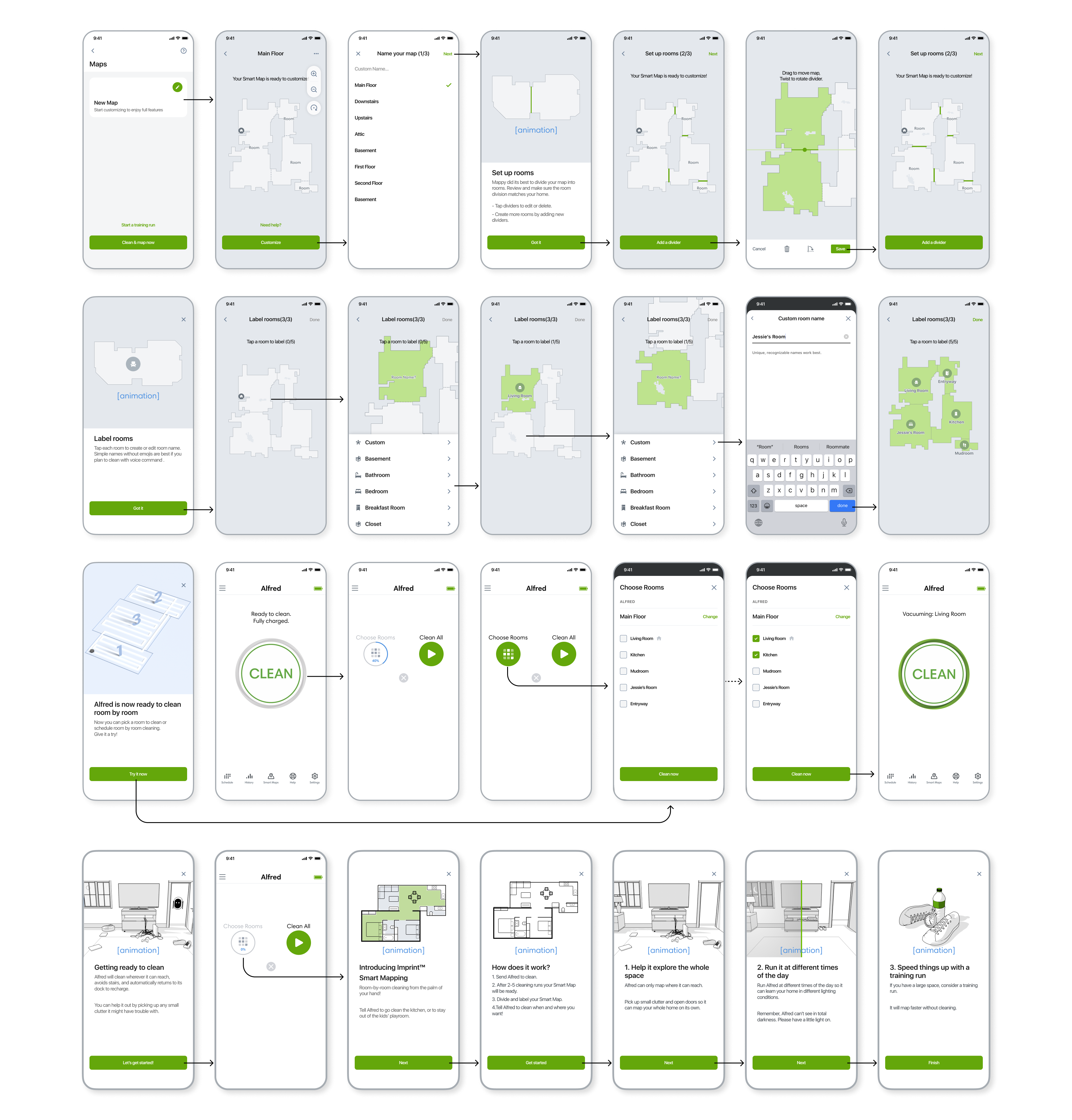
Final Design
The complete map customization flow
Outcomes
The work resulted in two US patents: Mapping interface for mobile robots and Map based training and interface for mobile robots.
Lessons learned
- High completion rate doesn't mean users are fully satisfied with the customization experience — some users still struggle with map comprehension and editing.
- Educational content is needed even in areas where technology is ahead of users' expectations.
- Visual mapping is a significant challenge for accessibility design.